
 Local-first meeting AI · 2026Private beta
Meeting AI
Meet, dictate and interpret on your own hardware — not a word leaves the company network.
Meeting AI records meetings, transcribes them, summarises them and delivers the action items — and doubles as a dictation key and a two-way interpreter. Everything runs on a Mac mini inside your own network: recognition, translation, text editing and even the voice. It started as our own tool; today it is a business product with MDM rollout and a signed installer.
15
Interpreter languages
0
Cloud APIs in the chain
3
Devices: Mac, iPhone, table display
±3.2 s
For 35 seconds of speech
What it does
Meetings without the cloud
Recording, transcription, summary and action items with owner and date — all on a Mac mini inside your own network. One press sends the report out by email.
Push-to-talk everywhere
Press Fn to record, release to paste into whatever app you are in. The existing clipboard is fully preserved and restored, formatting, files and images included.
Ten modes
Dictation, translate to English, polished email, more formal, summarise, shorter, prompt-writing, two-way interpreting and text from an image — picked with a double-tap on Fn.
Interpreting in fifteen languages
A floating conversation window with the translation large on screen; after every turn the direction flips automatically. A local neural voice speaks the translation, at a speaking pace you choose.
Text out of an image
Copy a screenshot and the text is recognised locally with Apple Vision. The editing modes then work straight on it: recognise, translate and paste in one motion.
Hardened for business use
Servers must be reachable over HTTPS, the personal bearer token lives only in the macOS keychain, and shared dictionary and history management sits behind a manager credential.
Deployable through MDM
A signed and notarised installer package with checksum, SBOM and release manifest. The server address can be enforced through MDM; tokens deliberately stay out of the configuration profile.
Table Node on the table
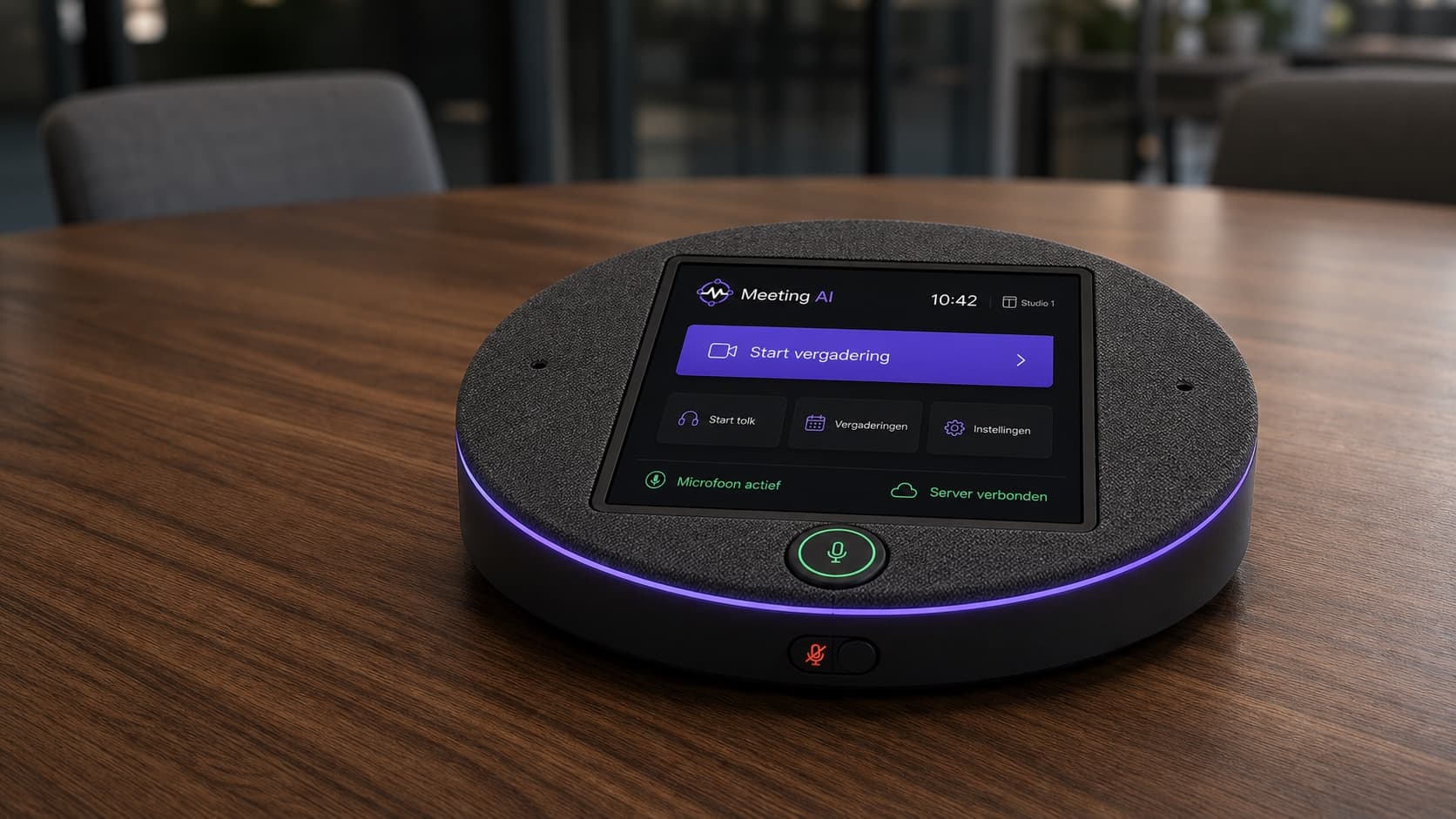
Our own meeting hardware: a 360° six-microphone array, 7-inch touchscreen, LED status ring and a physical mute switch, with a Raspberry Pi 5 inside talking to the same local server.
Self-learning dictionary
Corrections go to the server; after repetition it promotes dictionary suggestions on its own. That is how the system learns your jargon and company names.
How we built it
The Mac app is Swift without frameworks: NSEvent monitors for the Fn key, AVAudioEngine for audio and a synthetic ⌘V for pasting — running as a menu-bar agent with its own watchdog that restarts it when needed.
The server is FastAPI on a Mac mini: whisper.cpp for recognition, TranslateGemma and Qwen through Ollama for translation and text editing, Chatterbox through MLX for the voice, and SQLite for dictionary, audit and retention. No cloud APIs in normal processing.
Audio streams to the server as 16 kHz mono while you speak; if that fails the client falls back to a WAV upload automatically. Every request logs client, server, transcription and model time separately, so slowness stays traceable.
For the business pilot the server ships as a standalone package — no Python or Homebrew required, under a locked-down service account, with configuration and data that survive upgrades.
The bundle ID deliberately stayed the same through the rename, so existing keychain data and macOS permissions do not break. Old paths remain readable only as a silent migration layer; everything the user sees says Meeting AI.
Why we built it
A report that writes itself, and dictation that beats typing — but meeting content, client conversations and draft emails do not belong with a cloud vendor. So we built the whole chain locally: recognition, translation, text editing and even the voice run on your own hardware.
What began as our own daily tool has grown into a business product: signed, deployable through MDM, with tokens in the keychain instead of a key in a config file.
Need something like this in your company?