
 Local-first AI dictation · 2026In daily use
LP Whisper
Dictate, translate and interpret on the Mac — without a single word leaving the building.
Hold the Fn key, speak, and the text lands in whatever app you are using. LP Whisper is a macOS menu-bar app with ten modes — from plain dictation to polished email, summary and a two-way interpreter with voice. Everything runs on our own local AI server: no cloud, no subscription, no data leak.

10
Modes, from dictation to interpreter
15
Interpreter languages
±3.2 s
For 35 seconds of speech
0
Cloud APIs in the chain
What it does
Push-to-talk everywhere
Press Fn to record, release to paste into the active app. The clipboard is fully snapshotted and neatly restored — formatting, files and images included.
Ten modes
Dictation, translate to English, polished email, more formal, summarise, shorter, prompt-writing, two-way interpreting and OCR on clipboard images — picked with a double-tap on Fn.
Fully offline AI chain
Speech recognition with whisper.cpp, text editing via Ollama, translation with a local Gemma model and a local neural voice via MLX — the voice service listens on localhost only.
Interpreter with voice
Speak one turn; the Mac speaks the translation aloud and switches direction automatically. Fifteen languages, from English and German to Ukrainian and Arabic.
Self-learning dictionary
Corrections go to the server; after repetition it promotes dictionary suggestions on its own — that is how 'video pro' became 'VidéPro'.
Streaming while you speak
Audio uploads in chunks while you talk; 35 seconds of speech is ready as text in just over three seconds. If streaming fails, the app falls back to a WAV upload.
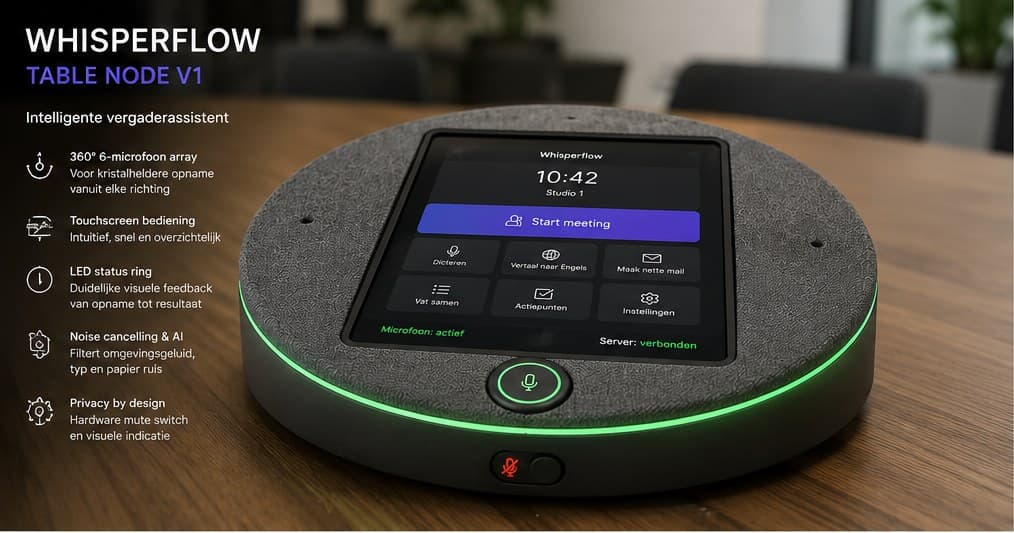
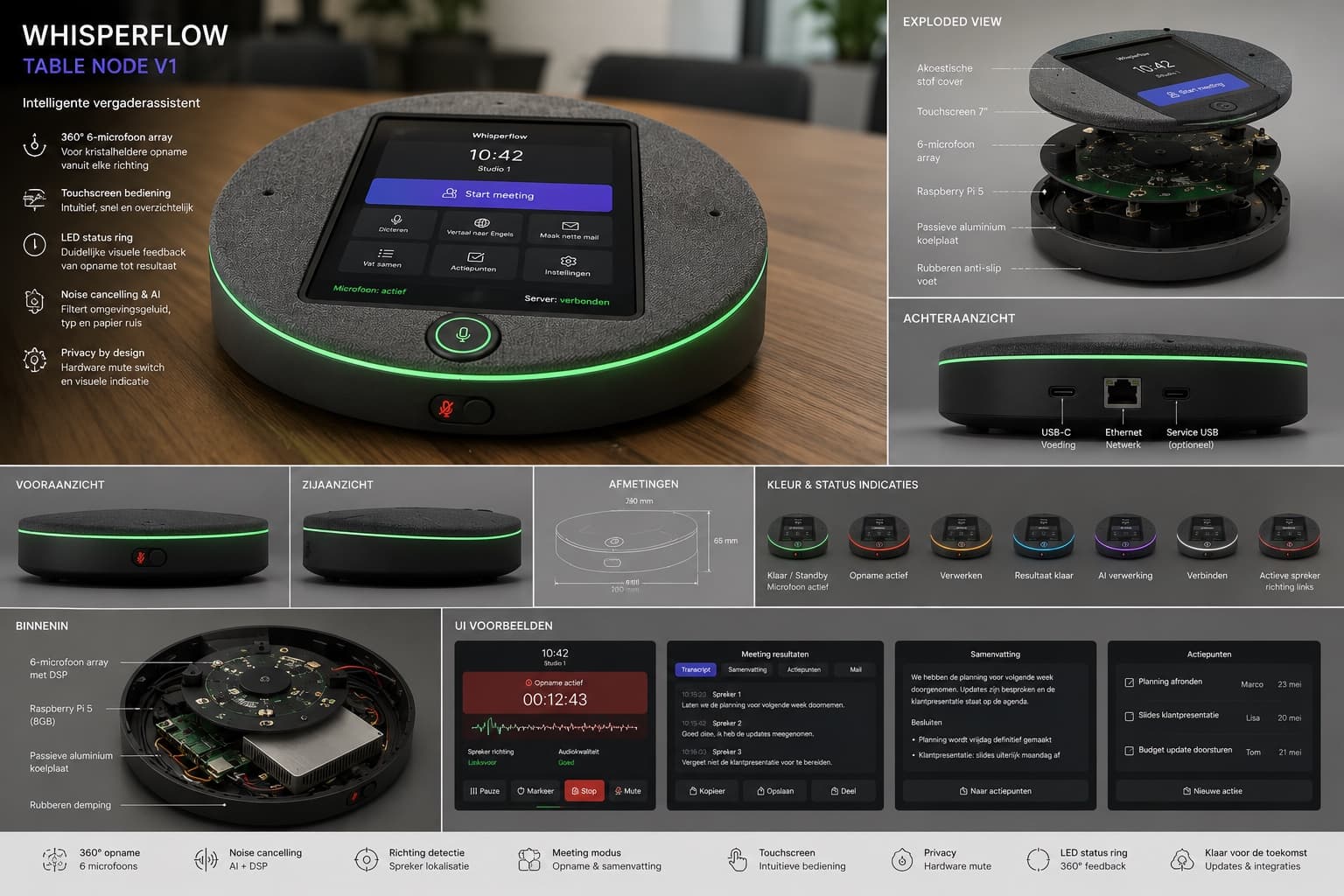
WhisperFlow Table Node (hardware)
Our own meeting hardware on the table: a 360° six-microphone array, 7-inch touchscreen, LED status ring and a physical mute switch — with a Raspberry Pi 5 inside, talking to the same local server. Record, summarise and extract action items, without the cloud.
How we built it
The client is ±2,500 lines of Swift without frameworks: NSEvent monitors for the Fn key, AVAudioEngine for audio and a synthetic ⌘V for pasting — running as a menu-bar agent with its own watchdog that restarts it when needed.
The server is Python/FastAPI on a Mac mini inside the LAN: whisper.cpp, Ollama and an MLX voice service as a LaunchAgent with HF_HUB_OFFLINE=1 — after the one-time model install, no internet connection is needed at all.
Audio is deleted right after processing; only interpreter sessions may be kept locally for 7–90 days, with automatic cleanup. Every step logs its own latency, so slowness is always traceable.
Why we built it
Dictation is faster than typing — but client conversations and draft emails do not belong with a cloud vendor. So we designed the offline version: the same speed, zero cloud APIs, everything inside our own network.
It has become our own daily tool, including an iOS meeting app on the same local server — and proof that serious speech AI runs just fine on your own hardware.
Need something like this in your company?